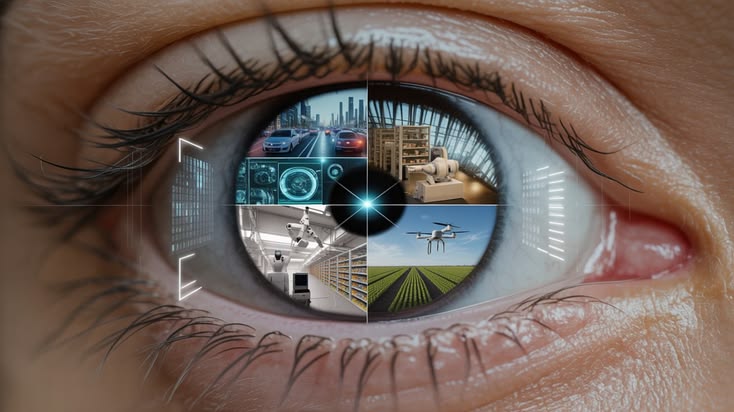
Introduction to Eye Movement Controlled Cursor Using OpenCV
Artificial Intelligence (AI) and Computer Vision are transforming the way people interact with computers. Traditional computer systems depend on physical input devices such as keyboards and mouse devices. However, what if a person could control a computer cursor simply by moving their eyes? This is the main concept behind the Eye Movement Controlled Cursor Using OpenCV project.
The proposed system is an AI-based hands-free mouse solution that uses a webcam to capture facial images, identify eye positions, and translate eye movements into mouse cursor movements. By combining Python, OpenCV, facial landmark detection, and mouse automation libraries, the system provides an alternative method of interacting with a computer.
This project is particularly relevant to accessibility-focused computing, human-computer interaction (HCI), and assistive technology. It can help demonstrate how computer vision can support people who experience difficulty operating conventional input devices.
Recent research also highlights the growing interest in affordable webcam-based eye-tracking systems and touch-free computer interaction. These developments make eye-controlled interfaces an interesting area for AI and final-year engineering projects.
Key Features & Benefits
Working Principle and System Architecture
The Eye Movement Controlled Cursor project follows a sequence of image acquisition, facial detection, eye tracking, movement analysis, and cursor execution.
1. Webcam Image Acquisition
The webcam continuously captures images of the user's face. These frames are processed to identify the face and locate the eye regions.
2. Face and Eye Detection
OpenCV processes the captured frames using computer vision techniques. Facial landmarks or eye-detection methods can be used to identify important points around the eyes.
3. Eye Movement Tracking
The system monitors the relative position of the pupils. When the user looks left, right, up, or down, the detected eye movement is converted into directional information.
4. Cursor Position Mapping
The detected eye coordinates are mapped to the computer screen coordinates. A calibration process can help improve cursor positioning and reduce unwanted movement.
5. Blink Detection and Mouse Actions
Eye blinking can be used to trigger mouse actions. For example, a deliberate blink can be configured as a left-click, while other gestures may be assigned to additional functions.
6. Real-Time Cursor Control
The processed eye movement information is passed to a mouse automation library such as PyAutoGUI, allowing the cursor to move according to the user's gaze.
The system can also incorporate smoothing techniques and blink-duration thresholds to reduce accidental clicks and improve usability.
Implementation Guide
Technologies, Features and Applications
Technologies Used
Programming Language: Python
Computer Vision: OpenCV
Eye Tracking: Facial Landmark Detection
Mouse Automation: PyAutoGUI
Image Processing: NumPy
Interface: Python GUI (optional)
Hardware: Computer or Laptop with Webcam
Key Features
Hands-Free Cursor Movement: Control the mouse pointer using eye movements.
Real-Time Eye Tracking: Continuously monitor eye positions through webcam frames.
Blink-Based Clicking: Configure intentional blinking to perform mouse-click operations.
Low-Cost Implementation: Build a prototype using commonly available computer hardware.
Calibration Support: Adjust cursor mapping according to the user's eye position.
Improved Accessibility: Explore alternative computer interaction methods without depending entirely on a physical mouse.
Customizable Controls: Add additional gestures and keyboard shortcuts based on project requirements.
Real-World Applications
Assistive technology for people with limited hand mobility.
Touch-free computer interaction.
Accessibility-focused software development.
Human-computer interaction research.
Smart computer interfaces.
Academic AI and computer vision demonstrations.
The actual performance depends on camera quality, lighting conditions, calibration, eye-tracking accuracy, and individual user requirements.
Technical Specifications
Advantages, Challenges and Future Enhancements
Advantages of the Project
The main advantage of this project is that it demonstrates an alternative way to control a computer without continuously using a physical mouse. It also combines several important technologies, including artificial intelligence, image processing, computer vision, and automation.
The project can be developed using an ordinary webcam, making it suitable for an affordable academic prototype. Students can also extend the basic implementation with additional AI-based features.
Challenges
Eye-tracking systems may experience difficulties when lighting conditions change, the user's face moves away from the camera, or the eyes are partially obstructed. Unintentional blinking can also cause accidental mouse clicks.
To address these issues, the implementation can use calibration, image smoothing, blink-duration analysis, and improved facial landmark detection.
Future Enhancements
The project can be extended with several advanced features:
AI-based gaze prediction for improved cursor positioning.
Voice command integration for hands-free computer operation.
Facial gesture recognition for additional mouse controls.
Adaptive calibration for different users.
Virtual keyboard integration for text input.
Improved tracking using MediaPipe Face Mesh.
Personalized cursor sensitivity and click settings.
Combining eye tracking with voice and gesture recognition could create a more flexible multimodal human-computer interaction system.
Conclusion & Next Steps
Conclusion – AI Project Development Support in Bangalore
The Eye Movement Controlled Cursor Using OpenCV is an interesting Artificial Intelligence and Computer Vision project that demonstrates how eye movements can be converted into computer operations. By integrating Python, OpenCV, facial landmark detection, and mouse automation, the system provides a practical approach to hands-free cursor control.
This project is suitable for students pursuing Computer Science Engineering, Information Technology, Artificial Intelligence, Data Science, and related engineering disciplines. It provides opportunities to understand real-time image processing, eye tracking, computer vision algorithms, and assistive technology development.
Why Choose Aislyn Technologies, Bangalore?
Aislyn Technologies provides technical guidance and project development support for students interested in AI, Machine Learning, Deep Learning, Python, Computer Vision, IoT, and emerging technologies.
Whether you are developing a final-year engineering project, an academic prototype, or an innovative AI application, our team can help you understand the implementation process and explore suitable project enhancements.
Contact Details
Aislyn Technologies, Bangalore
Phone: +91 97395 94609
Email: info@aislyntech.com
Website: https://aislyn.in
Contact us today to start building your AI and Computer Vision project in Bangalore with expert technical support!