Abstract
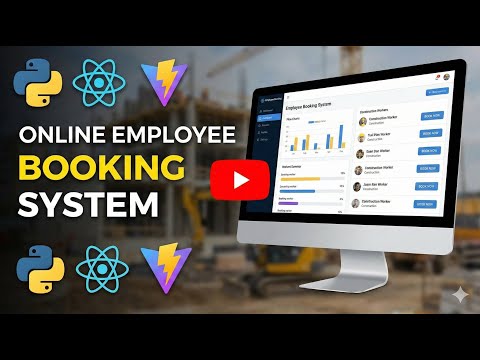
The rapid growth of the construction industry has created a need for efficient systems that can manage workforce allocation, project requests, and employee scheduling. Traditional methods of manual booking and task assignment often lead to miscommunication, delays, and poor resource utilization. To address these challenges, APC Track – Online Employee Booking System for Building Construction is developed as a web-based platform that simplifies the process of managing construction workforce operations.
The system enables clients to submit project booking requests, which can then be reviewed and approved by managers. Approved bookings are converted into projects where managers can assign employees based on skills, availability, and project requirements. Employees can view their assigned tasks, update work progress, and communicate with the project manager. The system incorporates role-based access control, ensuring secure and organized interaction among administrators, managers, employees, and clients. Additionally, APC Track provides automated email notifications, dashboards for performance analytics, and a centralized database for recording all workforce activities.
This project enhances transparency, reduces administrative workload, and improves project efficiency by integrating booking, assignment, and progress tracking into a single user-friendly platform. The system serves as a scalable digital solution for construction companies seeking to modernize their workforce and project management processes.
Key Features
1. Client Booking Module:
Clients can submit project requests with details like project title, description, location, required skills, schedule, and budget. They can also track, update, or delete their bookings.
2. Project Management Module:
Managers can convert approved client bookings into active projects, define project timelines, add notes, and manage project status.
3. Employee Assignment Module:
Managers can assign employees to projects based on their skills and availability. Employees receive automated email notifications about their assignments.
4. Task Tracking and Status Updates:
Employees can update their work status (assigned → working → completed), providing managers with real-time progress tracking.
5. Role-Based Access Control:
The system provides secure access with different permissions for Admin, Manager, Employee, and Client roles.
6. Dashboard and Analytics:
Provides real-time insights into bookings, projects, assignments, and workforce statistics.
Objectives
The main objective of Track is to develop a web-based system that streamlines employee booking, project management, and workforce allocation in the construction industry. The system aims to replace manual processes with a structured, efficient, and user-friendly digital platform.
The specific objectives include:
1. To automate the employee booking process
Provide clients with an online platform to submit construction project booking requests without relying on manual communication.
2. To implement role-based access control
Allow different user roles—Admin, Manager, Employee, and Client—to perform their assigned tasks through a secure and organized system.
3. To streamline project creation and management
Enable managers to review bookings, approve them, and convert them into active construction projects with proper scheduling.
4. To improve employee assignment efficiency
Allow managers to assign employees to projects based on skills, availability, and project requirements, reducing delays and errors.
5. To enhance communication through automated notifications
Send email alerts to employees when they are assigned to new tasks or projects.
6. To provide transparent progress tracking
Enable employees to view assigned tasks and update their work status, improving accountability and monitoring.
7. To centralize data storage
Maintain all booking, project, user, and assignment information in a single MySQL database for easy access and reporting.
8. To offer dashboards and analytics
Provide administrators and managers with insights into bookings, projects, assignments, and workforce utilization.
9. To improve overall operational efficiency
Reduce manual workload, minimize miscommunication, and enhance the coordination between clients, managers, and employees.
Block Diagram
Software and Hardware Requirements
This section outlines the minimum and recommended software and hardware needed to develop, deploy, and run the SYCO system effectively.
1. Software Requirements
a. Operating System
• Development: Windows 10/11, Linux (Ubuntu 20.04+), macOS
• Server Deployment: Linux (Ubuntu/Debian) recommended for stability and performance
b. Development Tools
• IDE / Code Editors: Visual Studio Code, PyCharm, or Sublime Text
• Version Control: Git and GitHub/GitLab for source code management
c. Backend Software
• Python 3.9+ for backend development
• Flask Framework for creating RESTful APIs
• Python Packages / Libraries:
o mysql-connector-python – MySQL database connectivity
o Flask-Session – Session management
o bcrypt – Password hashing
o smtplib – Email notifications
o dotenv – Environment variable management
d. Frontend Software
• Node.js 16+ for running Vite
• React.js for building the frontend UI
• Vite for frontend build and development
• Tailwind CSS for styling and responsive design
e. Database
• MySQL 8.0+ for storing structured data
• Tools like phpMyAdmin or MySQL Workbench for database management (optional)
f. Web Browser
• Modern browsers like Chrome, Firefox, Edge, or Safari for testing and usage
g. Server / Hosting Software (Optional for Deployment)
• Web Server: Apache / Nginx
• WSGI Server: Gunicorn (for Python Flask)
• SSL Certificates: Let’s Encrypt or similar for HTTPS
2. Hardware Requirements
a. Development Environment
• Processor: Intel i5 / AMD Ryzen 5 or higher
• RAM: Minimum 8 GB, recommended 16 GB for smooth development
• Storage: Minimum 256 GB SSD for faster builds and database operations
• Display: 1080p monitor or higher for coding efficiency
b. Server / Production Environment
• Processor: Intel Xeon / AMD Ryzen 7 or higher
• RAM: Minimum 8 GB, recommended 16–32 GB depending on user load
• Storage: SSD 512 GB+ for database and application files
• Network: Stable broadband / LAN connection for multiple users
c. Client Devices
• Any device (Desktop, Laptop, Tablet, Mobile) with:
o Modern web browser
o Internet connection
o Screen resolution 1024x768+























.png)
.png)
.png)
.png)
.png)
.png)
.png)