Abstract
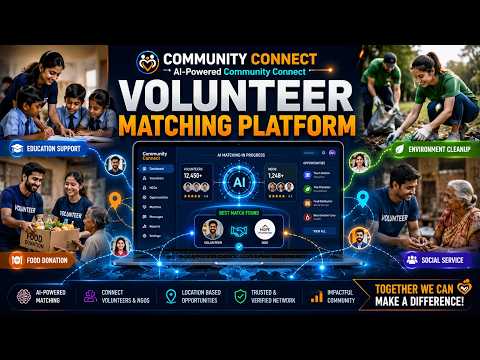
Community Connect is a Flask-based, role-aware web platform that bridges the gap between community organizers who need volunteers and individuals who wish to contribute their skills to social causes. The system implements two distinct user roles — Organizer and Volunteer — each with a dedicated dashboard and controlled access to platform features.
Organizers can create, edit, and delete volunteer projects, then review and update applicant statuses (Accepted, Pending, Rejected). Volunteers can browse, search, and apply to projects, with full visibility into their application history. The backend enforces security through Werkzeug PBKDF2 password hashing, Flask session management, and Python decorator-based role access control. Duplicate application prevention is enforced at the database query level. The public landing page displays real-time platform statistics. Built on SQLAlchemy ORM with SQLite, the system demonstrates clean MVC architecture, RESTful routing, and relational database design principles.
. Introduction
Volunteer coordination is a critical enabler of community development, yet it remains largely fragmented — relying on word-of-mouth, physical notice boards, and scattered social media posts. This disconnection results in underutilized volunteer capacity and organizational inefficiency for community groups.
Community Connect addresses this problem by providing a centralized, purpose-built digital platform. Built using the Flask micro-framework (Python) with SQLAlchemy ORM and an SQLite relational database, the system allows community organizers to post structured volunteer opportunities and manage applicants, while volunteers can discover and apply to projects aligned with their skills and interests.
The platform follows the Model-View-Controller (MVC) architectural pattern with Jinja2 server-side templating and Bootstrap 5 for a responsive frontend. The application is designed to be lightweight, self-hostable, and secure — making it practical for non-profit organizations and community groups with limited technical resources.
Objective
The primary objectives of Community Connect are:
• Develop a secure, role-based web platform that cleanly separates Organizer and Volunteer functionalities.
• Enable organizers to create, manage, update, and delete volunteer projects with full applicant lifecycle control.
• Enable volunteers to browse, search, filter, and apply to projects with real-time application status visibility.
• Implement duplicate-application prevention at the database level to ensure data integrity.
• Display real-time platform statistics (total projects, volunteers, applications, acceptances) on the public landing page.
• Demonstrate best practices in Flask web development, SQLAlchemy ORM, RESTful routing, and secure session management.
Block Diagram
Software Requirements:
• Operating System: Windows 10/11, Ubuntu 20.04+, or macOS 12+ (cross-platform).
• Language & Runtime: Python 3.9+, Node.js (optional for build tools).
• Web Framework: Flask 2.x with Werkzeug 2.x.
• ORM & Database: Flask-SQLAlchemy 3.x / SQLAlchemy 2.x; SQLite 3.x (dev), PostgreSQL 14+ (production).
• Frontend: Bootstrap 5.x, Jinja2 2.x templating engine.
• Version Control: Git 2.x with GitHub.
• IDE: Visual Studio Code or PyCharm with Python virtual environment (venv).
• Browser: Google Chrome 100+, Firefox 100+, or Edge 100+.
Hardware Requirements:
• Processor: Intel Core i3 (2.0 GHz) minimum; Core i5+ recommended.
• RAM: 4 GB minimum; 8 GB recommended.
• Storage: 500 MB free disk space for project files, virtual environment, and database.
• Network: Internet connection for package installation and Bootstrap CDN.
• Production Server: Linux VPS, 1 vCPU, 1 GB RAM minimum (Gunicorn + Nginx).