Your Cart

Your Wishlist

EXPLORE

Project Categories

9:30 AM - 6:30 PM | Call Us | WhatsApp

Chat with us Download App Stress detection in IT professionals big data using machine learning and flask web application

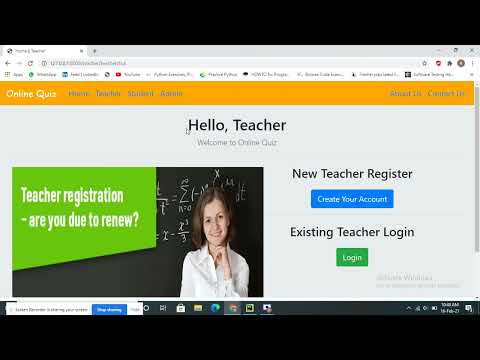
Online Quiz System

Category: MCA Projects

Price: ₹ 4500 ₹ 10000 55% OFF

YouTube Video
Product Image

Abstract:

Online Quiz System (OQS) is a web-based examination system where quiz is taken online i.e. through the internet or intranet using computer system. The purpose of OQS is to take Semester Quizzes in an efficient manner and no time wasting for checking the paper.

The main objective of OQS is to efficiently evaluate the candidate through a fully automated system that not only saves lot of time but also gives fast results. Teachers can administer quizzes using the OQS .

The system will show result after the examination is finished. A teacher has control in the question bank and is supposed to make schedule for the quiz. The system carries out the examination and auto-grading for multiple choice questions which is fed into the system. Administrative control of the whole system is provided.

The main objective of the project on MCQ Quiz Applications is to manage the details of Students, Examinations, Marks, Courses, Papers. It manages all the information about Students, Results, Papers, Students. The project is totally built at administrative end and thus only the administrator is guaranteed the access. The purpose of the project is to build an application program to reduce the manual work for Marks, Couses, Papers.

Users:
1. Admin
2. Teacher
3. Student


Admin:
1. After Login, can see Total Number Of Student, Teacher, Course, Questions are there in system on Dashboard.
2. Can View, Update, Delete, Approve Teacher.
3. Can View, Update, Delete Student.
4. Can Also See Student Marks.
5. Can Add, View, Delete Course/Exams.
6. Can Add Questions To Respective Courses With Options, Correct Answer, And Marks.
7. Can View and Delete Questions Too.

Teacher:
1. Apply for job in System. Then Login (Approval required by system admin, Then only teacher can login).
2. After Login, can see Total Number Of Student, Course, Questions are there in system on Dashboard.
3. Can Add, View, Delete Course/Exams.
4. Can Add Questions To Respective Courses With Options, Correct Answer, And Marks.
5. Can View And Delete Questions Too.
6. NOTE: Basically Admin Will Hire Teachers To Manage Courses and Questions.

Student:
1. Create account (No Approval Required By Admin, Can Login After Signup)
2. After Login, Can See How Many Courses/Exam And Questions Are There In System On Dashboard.
3. Can Give Exam Any Time, There Is No Limit On Number Of Attempt.
4. Can View Marks Of Each Attempt Of Each Exam.
5. Question Pattern Is MCQ With 4 Options And 1 Correct Answer.

Block Diagram

block-diagram